AI & automation
Put the busywork on autopilot.
Custom AI agents and automations that capture leads, follow up, route work and update your tools, running 24/7 so your team does the work that actually grows the business. Owned by you.
Watch the busywork run itself
Busywork done while you sleep.
One cleaning request at 11:42 PM, quoted, signed and onboarded before midnight, then reminded, paid and reported, with one approval tap from you. Press play, or turn on the voice-over and let Zip walk you through it.
Get a cleaning quote
Get my quoteWednesday, 11:42 PM. You're asleep, and an office manager asks for a cleaning quote.
- Fees
- No per-task feesOne build, not a charge on every run
- Price
- Fixed price, agreed firstScope and price before any work starts
- Ownership
- Yours, in writingWorkflows, code and accounts in your name
- Control
- A person approves what mattersRefunds, big quotes, anything sensitive
What is your team still doing by hand?
Tick the tasks that eat your week and set rough hours for each. We add them up and show what we would automate first. Nothing is sent until you book.
9hours a week
done by hand today
- Instant replies and follow-up sequences
- Two-way sync between your tools
- Invoices raised and chased on schedule
Your numbers, not ours. On the call we check which of these hours can run on their own, and give you a fixed price.
Ten businesses buried in busywork we can automate first.
Pick your industry to see the blueprint of a workflow we would build: what starts it, what the AI does, and what happens next, without anyone typing.
Every enquiry answered, every quote chased
Enquiries land while your techs are on jobs, and quotes go out late or never get chased. Every lead gets a reply in minutes, every quote gets followed up, and the review request goes out when the job is done.
- Instant replies with a booking link
- Quote follow-ups until they decide
- Review requests when a job is closed
The busywork, handled start to finish.
Each automation takes one repetitive job off your team and does it the same way every time, with a person stepping in only where it matters.
Every lead followed up in minutes
New enquiries get a personal reply, a quote or a booking link the moment they arrive, then gentle follow-ups until they decide.
Documents read and filed by AI
Invoices, receipts, forms and CVs are read, checked and filed in the right place, with the numbers pulled out for you.
Reports that build themselves
Sales, jobs, cash and ad spend pulled into one summary, in your inbox every Monday at 8 AM, with notes on what changed.
Your tools, finally talking
Forms, inbox, CRM, calendar and accounting stay in sync, so nobody copies data between tabs again.
A person in the loop when it matters
Refunds, big quotes and anything sensitive wait for someone to approve, in one tap from email or chat.
Yours, outright
The workflows, code and accounts are in your name. No per-task fees that climb as you grow, and no platform holding your processes hostage.
Do it by hand, rent a tool, or own it.
Most teams either lose hours to busywork or pay per task for automations that break quietly. Here is how owning it compares.
Click through real automations.
These are working demos. Run a workflow, ask the AI a question or open a support ticket, exactly as your team would.
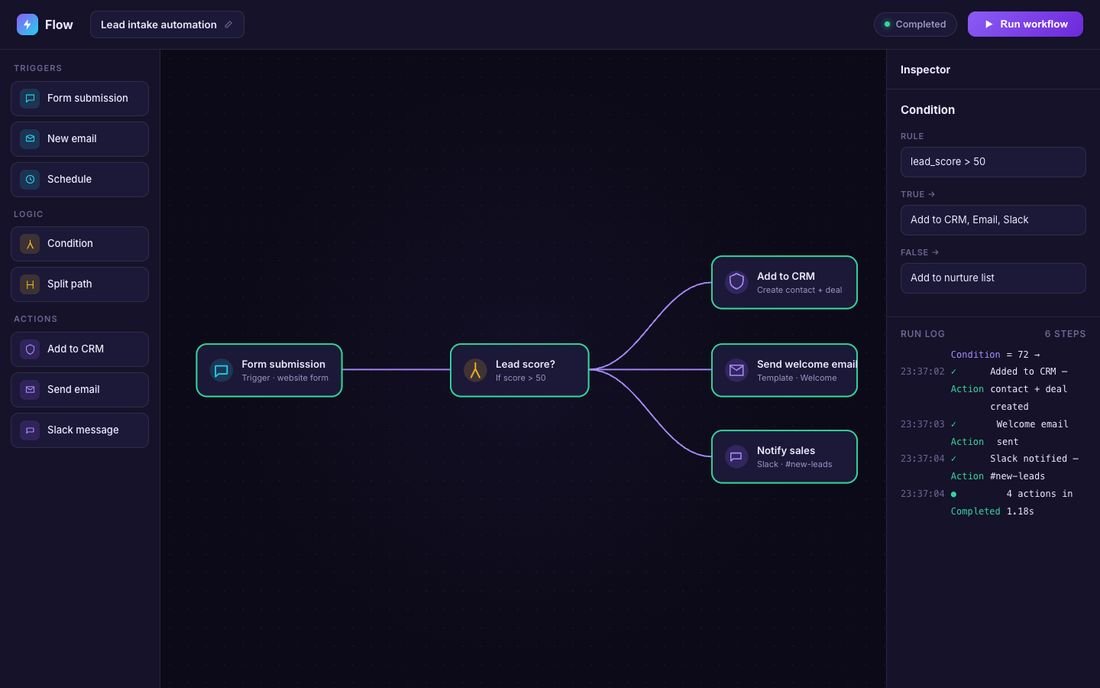
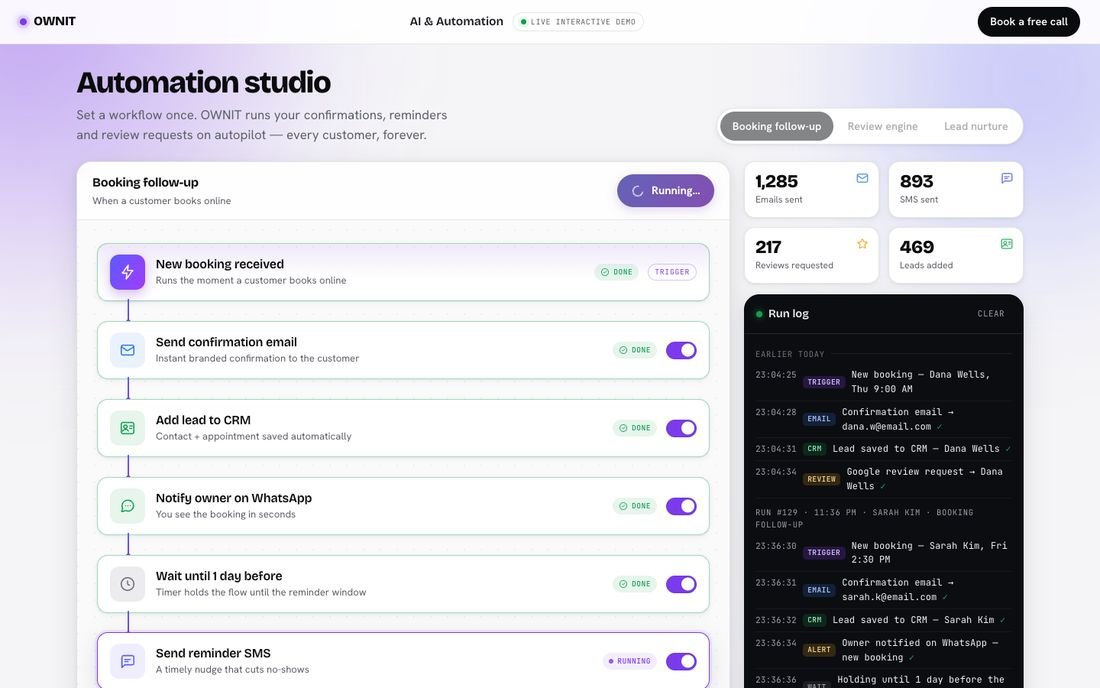
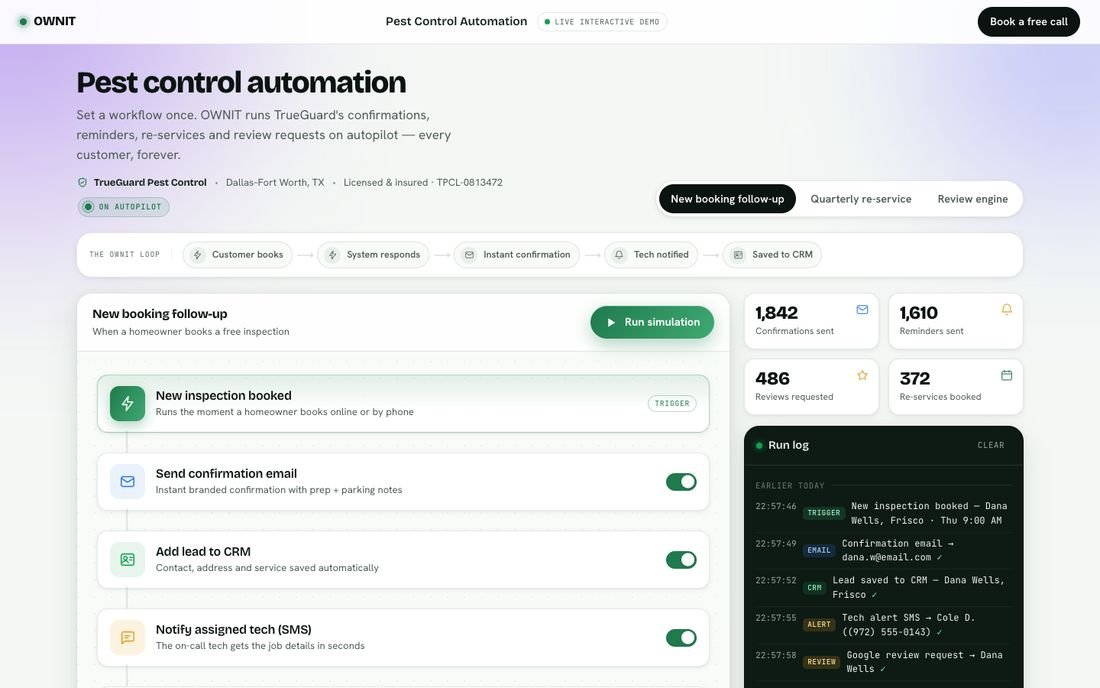
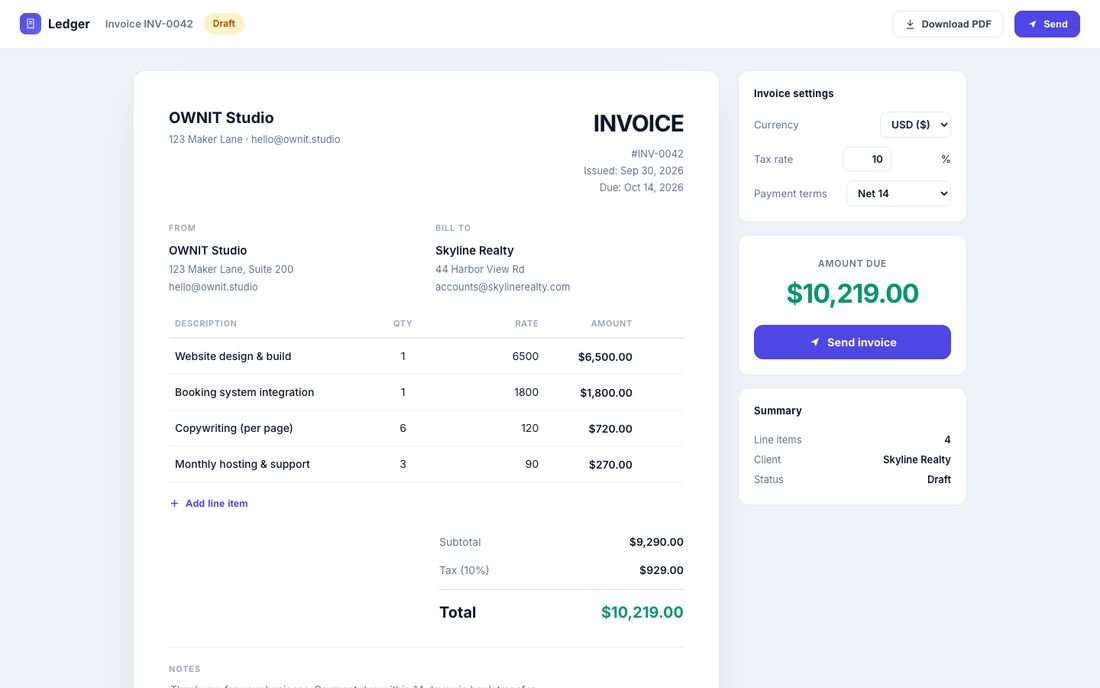
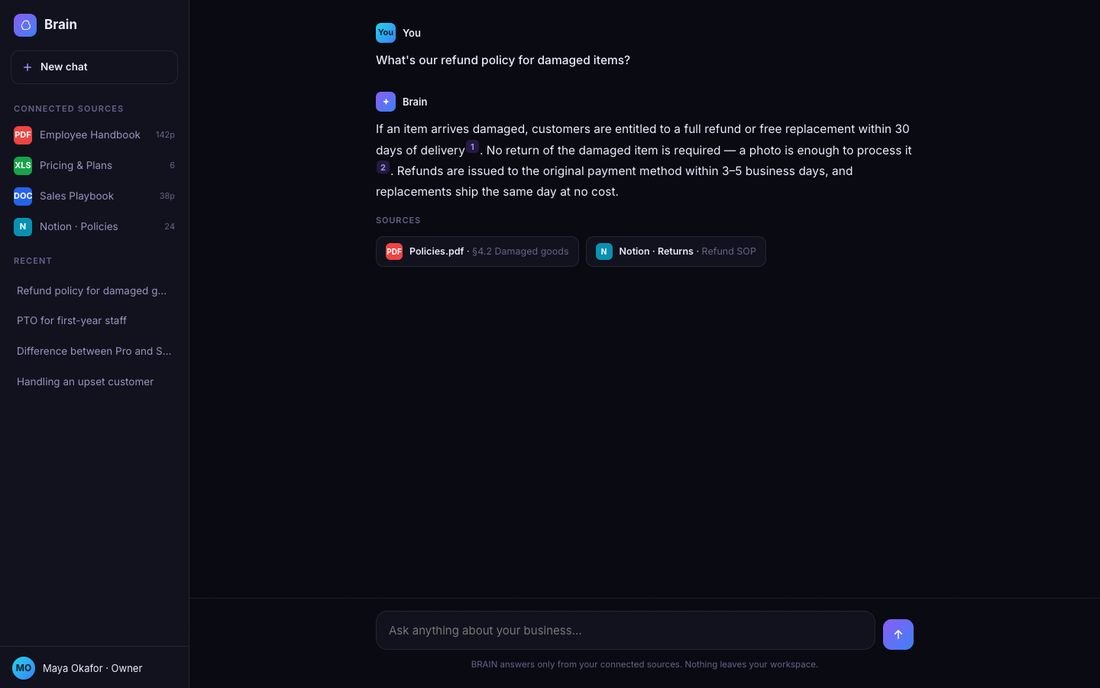
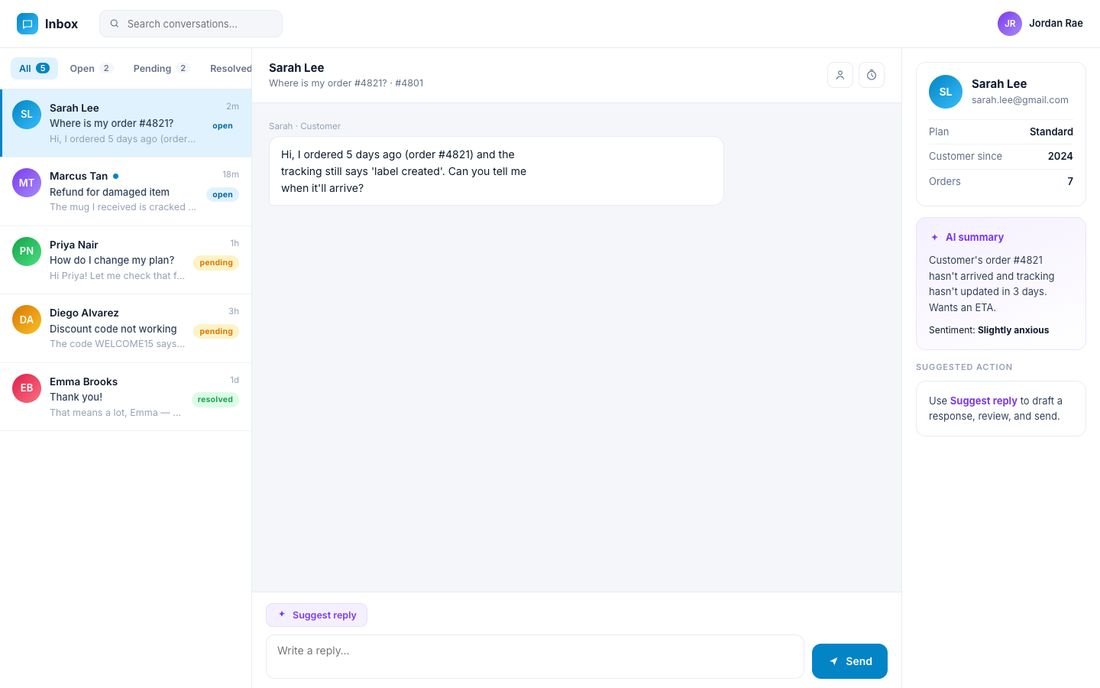
From busywork to a workflow that runs itself.
A clear process, a fixed price and workflows you see working on real examples before they go live.
Free automation audit
We walk through where your team's hours go, list what can be automated and pick the few that pay back first.
Map and fixed price
You get each workflow mapped step by step: the tools it touches, where a person approves, a timeline and a fixed price.
Tested on real examples
We run it against your real past enquiries, documents and orders and show you every step before it touches a customer.
Go live and hand over
We switch it on, watch the first runs closely, then hand you the code, the accounts and a plain-English guide.
Wired into the tools you already run on.
If it has an API, a webhook or an export, we can connect it. These are the ones we wire up most often.
Find the busywork worth automating first.
Pick a time for a free 30-minute audit. We will map where your team's hours go, show you workflows like yours running and give you an honest ballpark, whether or not you work with us.
- Free 30-minute audit of your busywork
- Fixed price agreed before any work
- No obligation, and you own what we build
Rather talk now? Call +1 (812) 801-3148 or WhatsApp us
Questions, answered.
Cost and timelines first. Anything else, ask us on the audit call.
How much does an automation project cost?
It is a one-time build with no per-task fees afterwards: $1,500 for 1 to 2 workflows, $5,000 for 3 to 6 with an ops dashboard, and from $12,000 for a full overhaul. AI and messaging usage is billed to your own accounts at the providers' standard rates, so you can see and cap it. You get a fixed price in writing before we start.
How long does it take?
Most automations go live in weeks, not months, and a single focused workflow is often quicker. You get a firm timeline with the fixed price, and you see each workflow run on real examples before it goes live.
What can you actually automate?
If it is repetitive and follows rules or reads language, it can usually be automated: lead follow-up, quoting, onboarding, reminders, reporting, data entry, document processing, support replies and review requests. On the audit we pick the ones with the biggest payback first.
Does it work with the tools we already use?
Almost certainly. CRMs, email, calendars, accounting, payments, spreadsheets and messaging apps can all be connected if they have an API, a webhook or an export. We build around what you already use instead of asking you to switch.
Can it use AI safely?
Yes. AI steps are grounded in your own data and templates, with limits on what they can do. Anything sensitive, like refunds, quotes above a set amount or messages to key clients, waits for a person to approve.
What happens if something breaks?
Every workflow is monitored, logs each run and retries failed steps. If a step still fails you get an alert, and nothing is silently dropped. On a care plan, we fix it for you.
Do we own the automations?
Yes. The workflows, code and accounts are in your name and documented, so any developer can pick them up. No per-task fees that grow with your success, and no vendor holding your processes hostage.
From the OWNIT Journal
Plain-English guides from the OWNIT team: what things cost, what to own and what to skip.
Read the Journal- Buying Guides
What an AI Automation Agency Really Costs in 2026
Published price bands, the line items agencies rarely itemize, and how to tell a fair quote from an expensive subscription in disguise.
- Buying Guides
How to Hire an AI Automation Agency: Twelve Questions and Six Red Flags
A due-diligence checklist for owners who have never bought software, written by people who sell it.
- AI Automation
n8n, Zapier, Make or Custom Code: Choosing Your Automation Layer
Task-based pricing, self-hosting and error handling. A practical comparison for businesses moving beyond their first five automations.
AI & automation
Ready to put the busywork on autopilot?
Book a free demo, we’ll find the work eating your team’s time and show you automations that run it for you, owned outright.
No spam · No obligation · Reply within 24 hours